The Desmos 4-Function Calculator is a simple yet powerful online tool designed to make basic math operations quick, accurate, and easy. Whether you’re a student tackling homework, a teacher preparing lessons, or someone who just needs to do quick math calculations on the go, Desmos provides a clean, intuitive, and ad-free interface that makes math less intimidating. In this guide, we’ll walk you through everything you need to know about using the Desmos 4-Function Calculator effectively, including step-by-step examples and tips to boost your efficiency.
What is the Desmos 4-Function Calculator
The Desmos 4-Function Calculator is a free online tool that allows users to perform basic arithmetic operations such as addition, subtraction, multiplication, and division. It’s part of the Desmos suite of math tools, which also includes the Scientific Calculator, Graphing Calculator, and 3D Graphing tools. The 4-function calculator is primarily designed for elementary and middle school students or anyone who needs a quick way to solve simple math problems without the complexity of advanced scientific functions.
Why Choose the Desmos 4-Function Calculator
Unlike traditional physical calculators, Desmos offers a modern, browser-based experience that works on desktops, tablets, and smartphones. The interface is minimalistic, eliminating unnecessary clutter so you can focus on your math. Another major advantage is that it’s completely free to use, without ads or pop-ups. Teachers can integrate it into classroom activities, while students can access it anywhere without the need for installation.
How to Access the Desmos 4-Function Calculator
Using the Desmos 4-Function Calculator is incredibly easy. Simply visit your preferred calculator page on website or go directly to the 4-Function Calculator section. It loads instantly in your web browser, and there’s no sign-up or login required. You can use it both online and offline if saved as a Progressive Web App (PWA) on your device.
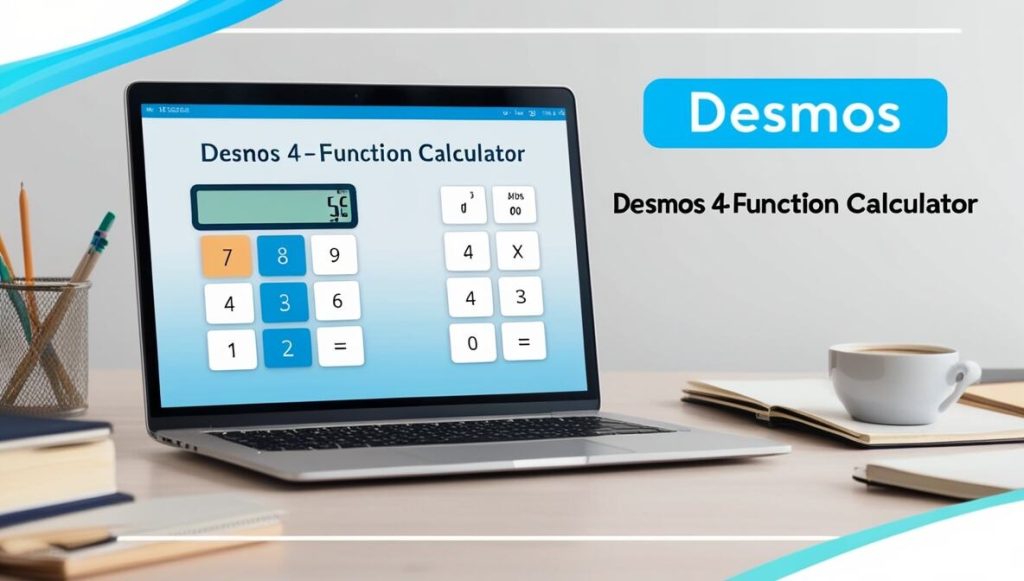
Exploring the Interface
Once you open the calculator, you’ll notice a clean white screen with large, colorful buttons. The layout mimics a real calculator, but with smoother digital interaction. The main interface consists of:
- Number pad (0–9) for numeric input.
- Basic operation keys such as +, –, ×, ÷.
- Decimal point for working with fractions or decimals.
- Equals (=) button to execute calculations.
- Clear (C) button to reset the screen.
Every input appears on the top display bar, allowing you to easily see your ongoing calculations before pressing “equals.”
Performing Basic Calculations
Let’s start with some simple operations to understand how Desmos works.
Addition Example
To calculate 12 + 8, simply press:
1, 2, +, 8, =
The result 20 will instantly appear on the display.
Subtraction Example
To find 25 – 9, type:
2, 5, –, 9, =
The answer 16 appears right away.
Multiplication Example
For 7 × 5, press:
7, ×, 5, =
You’ll see 35 as the result.
Division Example
To divide 48 ÷ 6, enter:
4, 8, ÷, 6, =
Desmos will display 8.
The calculator automatically follows standard math rules and order of operations, ensuring your answers are precise.
Using the Memory and Clear Functions
Desmos 4-Function Calculator doesn’t include complex memory storage like a scientific calculator, but it lets you review your ongoing calculation chain easily. The “C” (clear) button wipes the screen clean, while backspace allows you to remove just one number or operator at a time. This helps you correct mistakes without redoing the entire equation.
Handling Decimals and Negative Numbers
For decimal numbers, simply use the decimal point (.) between digits.
Example: To calculate 3.5 × 2.4, enter:
3, ., 5, ×, 2, ., 4, = → 8.4
For negative numbers, tap the negative sign before the number.
Example: –8 + 3 = –5
Desmos automatically understands mathematical conventions, so your results will always follow the correct format.
Advantages of Using Desmos Over Traditional Calculators
The Desmos 4-Function Calculator provides a smoother and smarter experience than most physical calculators. It’s accessible from anywhere, whether you’re using a computer, tablet, or smartphone. Additionally, it supports keyboard shortcuts, allowing you to type calculations directly without clicking buttons. The tool is updated regularly, ensuring accuracy and compatibility with modern browsers.
Most importantly, Desmos calculators are approved for classroom and standardized test use, making them a reliable tool for students at every level.
Transitioning to Other Desmos Calculators
Once you’re comfortable with the 4-Function Calculator, you can explore Desmos’s other advanced tools:
- Use the Scientific Calculator for trigonometric, logarithmic, and exponential operations.
- Try the Graphing Calculator to visualize functions and equations interactively.
- Experiment with the Matrix Calculator or 3D Graphing Tool for higher-level math applications.
Each tool follows the same intuitive design, making it easy to switch between them as your math needs evolve.
Real-Life Applications of Desmos 4-Function Calculator
Whether you’re balancing your budget, converting units, or doing classroom assignments, the 4-Function Calculator can simplify many real-life tasks. Teachers use it to demonstrate basic arithmetic concepts, while students rely on it for quick checks during lessons. It’s also handy for professionals who need fast, reliable calculations without using spreadsheets or complex software.
For instance, you can calculate discounts, total expenses, or even simple averages right within your browser.
Tips and Tricks for Faster Calculations
Here are some handy tips to make the most of the Desmos 4-Function Calculator:
- Use keyboard shortcuts: Typing directly from your keyboard is faster than clicking buttons.
- Combine multiple operations: Desmos automatically handles order of operations. For example, typing 5 + 3 × 2 gives 11, not 16.
- Pin it to your home screen: On mobile, add Desmos as a web app for one-tap access.
- Use it offline: Once loaded, the calculator works even without an internet connection.
Troubleshooting Common Issues
If your calculator isn’t working as expected, check these simple fixes:
- Refresh the page if buttons freeze.
- Clear browser cache if old data causes lag.
- Check your internet connection for first-time use.
- Switch browsers (Chrome or Edge recommended) if compatibility issues arise.
The Desmos support team also provides helpful documentation and guides for troubleshooting.
The Future of Online Calculators
Online tools like Desmos are reshaping how we learn and interact with mathematics. The 4-Function Calculator isn’t just a digital replacement for a plastic device—it’s a gateway into a larger ecosystem of interactive math learning. Students can start small and gradually advance to more complex topics, making Desmos an ideal long-term math companion.
Conclusion
The Desmos 4-Function Calculator is one of the most reliable, user-friendly, and efficient tools for quick math calculations. From basic addition and subtraction to decimals and negatives, it handles everything smoothly and accurately. Its simple design, accessibility across devices, and seamless transition to other tools like the Scientific and Graphing Calculators make it an essential math resource for everyone.